Every build, one timeline. Nobody guessing.
Builderlane keeps each build in one place: the jobs and their dates, the plans and photos, and one timeline of what's happened. Your client follows along, your trades see their own jobs on their phone, and everyone opens a dashboard that shows what's next.
Set-out checked, pegs in.
Slab poured.
Frames up, bracing done.
When's the deck going in?
Trusses on. Roof Thursday.
Timber now coming Tuesday.
Deck and stair done.
- 01Set-out
- 02Slab
- 03Frame
- 04Roof
- 05Cladding
- 06Deck
Your day, sorted before smoko.
Open Builderlane and the builds you're on are in front of you, with what needs you at the top.
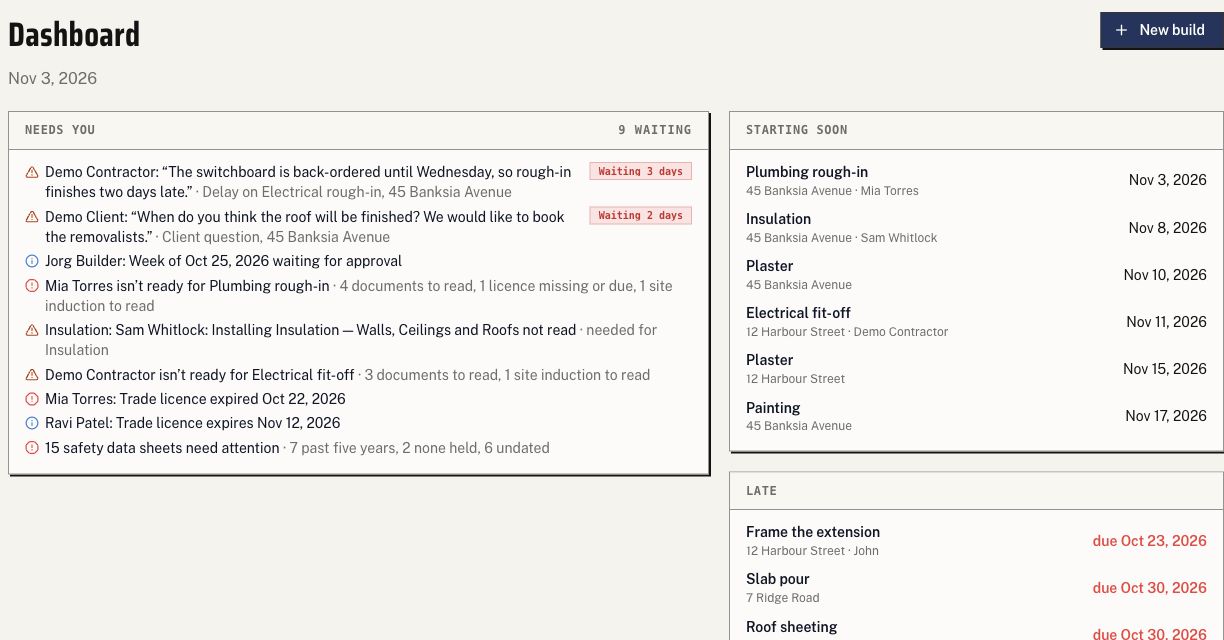
Needs you
A client's question nobody has answered, a trade's post flagged Delay or Incident, a job that's blocked.
Starting soon and running late
Any job starting in the next few days, and any job past its planned finish.
Your builds
A card per build: status, jobs done of the total, the next job, what's blocked and the last update. Past nine builds it becomes a table; switch back and it remembers.
Everything for a build, in one place.
The jobs, files and activity belong to the build. Move between them without losing its context.
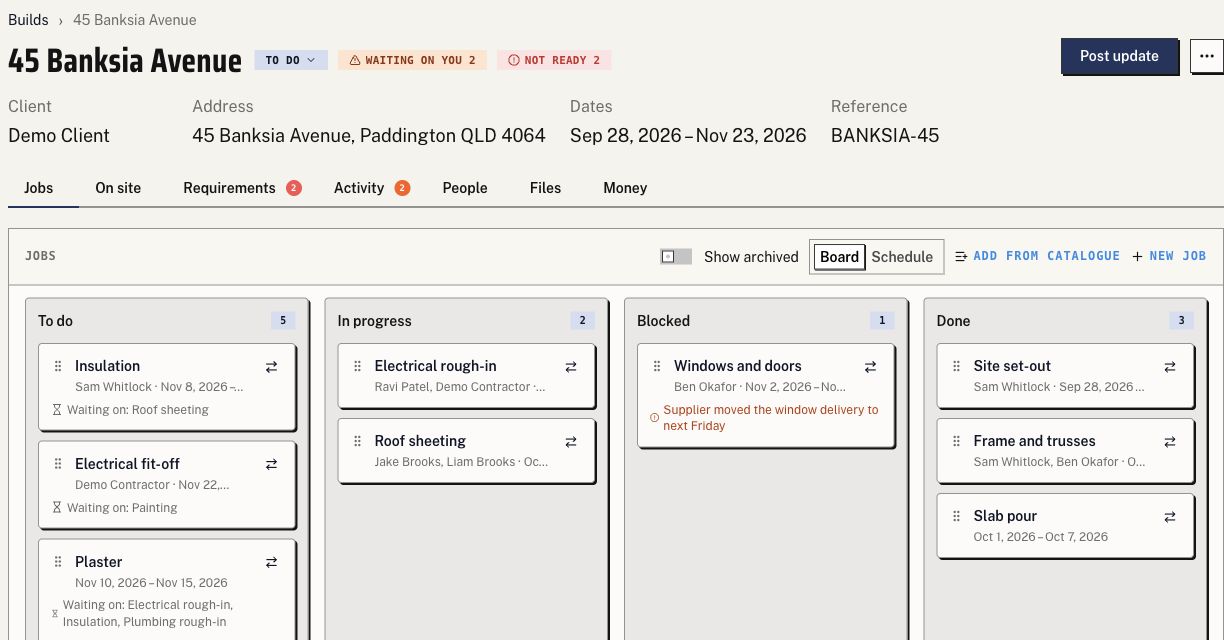
The jobs board
To do, In progress, Blocked and Done, each job with its planned start and finish. Drag a card across; moving it to Blocked asks why.
Files, private or shared
Plans, Photos, Certificates and a folder for each job. Every file is private or shared with the client, and nothing is shared until someone shares it.
Tagged to the job
Tag a plan to the jobs it's for. It stays in Plans; the job links to it, so the trade on that job sees it.
One timeline
Your updates and photos, the client's questions, and a note whenever a job moves or a file is shared. A report button posts what's done, what's next and what's blocked, which your client can download as a PDF.
Your client follows the build without chasing you.
Every build has its client: a person, a couple or a company. They see their build and only what you have shared.
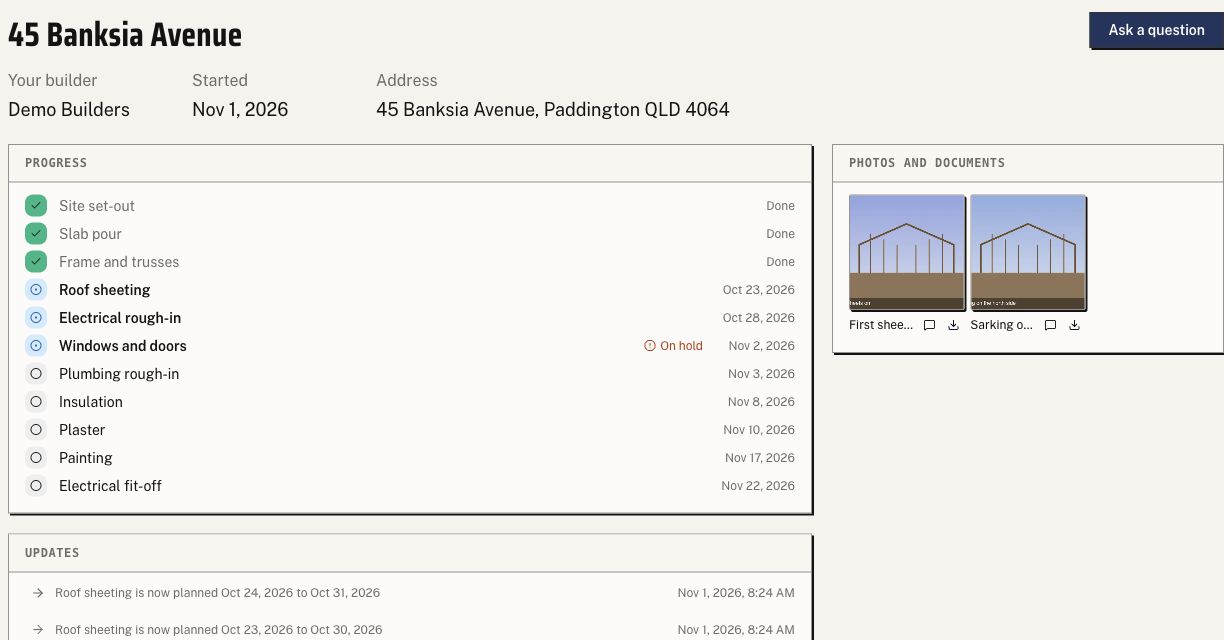
Progress
The jobs in order with where each one is up to.
Updates and photos
Your shared updates on the timeline, with the latest photos. They can comment under an update.
Ask a question
It lands in your Needs you and stays there until someone on your team replies.
Documents
The same folders you use, showing the files you have shared with them.
Trades see their own jobs, on site, on their phone.
A contractor sees their jobs and nothing else: not another trade's files, not the client conversation.
Their jobs
Across your builds, each with its build, planned dates and status.
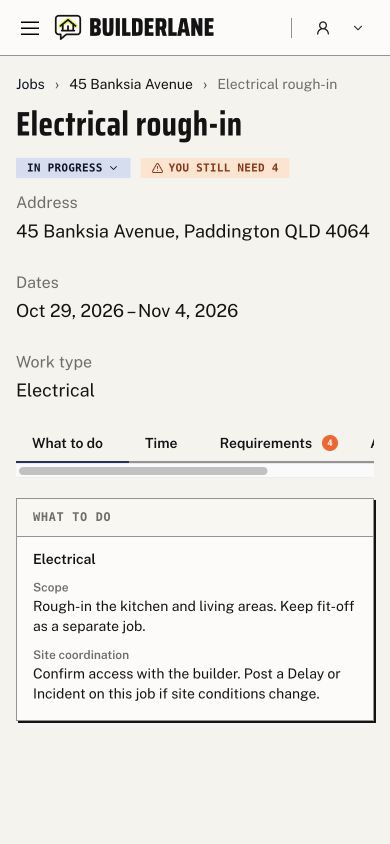
What to do
The address and dates, the scope, the files for that job and your notes, in that order on a phone.
Photos from site
Straight into the job's folder from the camera, private until you share them.
Delay and Incident
A post flagged Delay or Incident lands in your Needs you. Moving the job to Blocked stays your call.
The QR code on the site sign
Scan it and the build opens on their jobs. The code grants nothing by itself: they still sign in and see only their own work.
Builders who build homes.
Small and mid-size builders, their clients and their trades. Not high-rises, not 500-house estates.
Builders
Run every build from one place and see what needs you first.
Clients
Follow their build, see the photos and ask a question.
Trades
Get the job, the plans and the notes, and post from site.
Bring us a build.
Tell us how you run your builds today and we'll walk one through Builderlane with you.
Builderlane is a product of Encollab. Talk to the team about your builds and the people who work on them.
Talk about Builderlane